How Shopify Automated Email Marketing Can Grow Your Store on Autopilot
Shopify automated email marketing lets your store send the right message to the right customer at exactly the right moment — without you lifting a finger each time.
Here's a quick look at how it works:
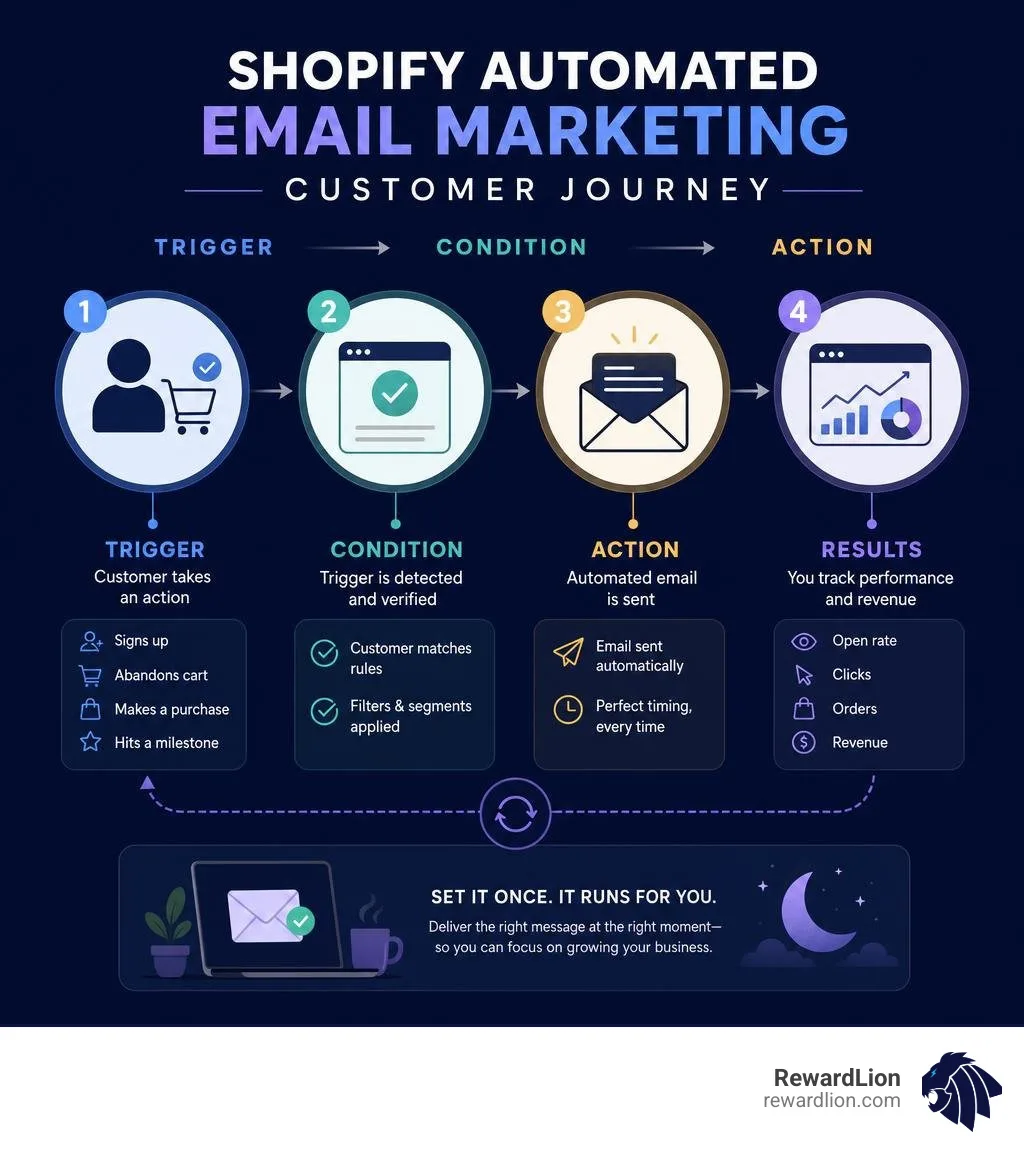
A customer takes an action — signs up, abandons a cart, makes a purchase, or hits a spending milestone
A trigger fires — Shopify (or a connected app) detects that event in real time
An automated email sends — a pre-built or custom message goes out automatically
You track results — open rates, clicks, orders, and revenue are all logged in one place
The result: revenue that keeps coming in while you focus on running your business.
This isn't just a nice-to-have. With acquiring a new customer costing up to five times more than selling to an existing one, keeping your current customers engaged through automation is one of the smartest investments you can make. Brands that get this right see real numbers — like 312.5% revenue growth from automating email and loyalty workflows, or 35.8% of total purchases driven by personalized email alone.
The good news? You don't need a big marketing team or technical skills to get started. Shopify's built-in tools and a growing ecosystem of third-party apps make it accessible for stores of every size.
I'm Mike Ibrahim, Founder and CEO of RewardLion and Marketing Director for several e-commerce brands, with over a decade of experience building and scaling Shopify automated email marketing strategies that drive real revenue growth. I'll walk you through everything you need to know to get your automations running — from first setup to advanced segmentation.
What is Shopify Automated Email Marketing and How Does It Work?
At its core, Shopify automated email marketing acts as a virtual sales assistant that works 24/7. Instead of manually writing and sending individual emails to your subscribers, you design a system once, and it runs indefinitely in the background.
This system relies on a simple logic flow: Trigger $\rightarrow$ Condition $\rightarrow$ Action.
The Trigger: An event that starts the automation (e.g., a customer signs up for your newsletter, abandons their cart, or completes a purchase).
The Condition: A filter that determines if the email should actually send (e.g., "only send if the cart value is over $50" or "only send to first-time buyers").
The Action: The resulting task performed by your system (e.g., sending a specific welcome email with a 10% discount code).
By leveraging dedicated Email Marketing Automation Software, we can build highly targeted customer journeys. This means you stop blasting generic, one-size-fits-all newsletters to your entire list. Instead, you deliver hyper-personalized content based on exactly how a user interacts with your online store.
Core Mechanics of Shopify Automated Email Marketing
Behind the scenes, your Shopify store continuously syncs customer events with your email platform in real time. When a shopper browses a product page, adds an item to their cart, or types in their shipping details, Shopify logs that behavior immediately.
Through native tools, setting up these customer-centric workflows has become incredibly intuitive. By utilizing the steps outlined in the official guide on Creating and managing marketing automations in Shopify Messaging, merchants can seamlessly map out automated workflows. The moment a customer triggers a workflow, the system checks any conditions you’ve set, waits for your specified delay period (such as waiting 2 hours before sending an abandoned cart reminder), and then dispatches the email.
Key Benefits of Built-In Shopify Messaging
While third-party tools offer deep feature sets, Shopify’s built-in tool—known as Shopify Messaging—has become a formidable contender for scaling stores in June 2026.
Using the native Shopify Messaging | Build email and SMS marketing campaigns setup provides several distinct advantages:
Unified Brand Assets: Your store’s logo, brand colors, fonts, and product listings are synced automatically. There is no need to manually upload product images or copy-paste descriptions.
Express Checkout Buttons: You can insert dynamic checkout buttons directly into your emails. This allows subscribers to purchase featured products with a single click, completely bypassing the traditional friction of online shopping.
Zero Integration Lag: Because it is built directly into your Shopify admin, there is no risk of API disconnects, delayed data syncing, or lost customer tags.
Essential Types of Marketing Automations for E-commerce
To build a highly profitable customer lifecycle, we must address multiple stages of the buyer's journey. Let's look at the foundational automations that every Shopify store needs to have active.
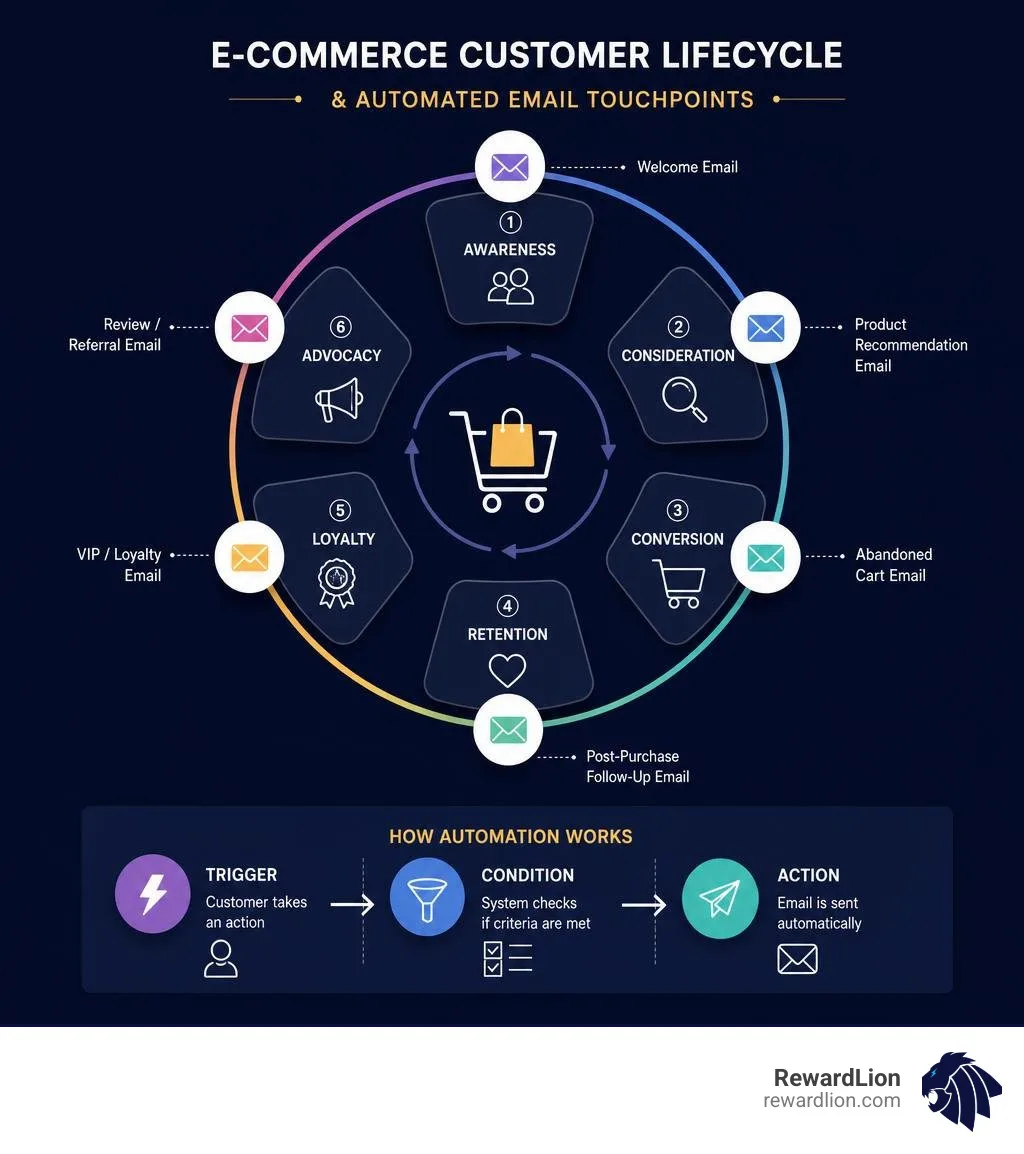
To make these emails highly effective, we use Drip Email Marketing Software to space out our messages over several days, ensuring we nurture leads without overwhelming their inboxes.
Welcome Series and Subscriber Onboarding
Your welcome series is your digital first impression. It boasts some of the highest open rates of any email you will ever send (often exceeding 60%).
A typical three-part welcome sequence looks like this:
Email 1 (Immediate): Deliver the promised incentive (like a discount code) and introduce your brand’s core mission.
Email 2 (2 Days Later): Share your brand storytelling, founder's note, or social proof (such as customer reviews and press mentions).
Email 3 (4 Days Later): Highlight your best-selling collections or offer a personalized product recommendation.
Abandoned Cart and Checkout Recovery
Cart and checkout abandonment are the biggest profit-killers in e-commerce. A visitor adds items to their cart, gets distracted, and leaves.
With automated recovery flows, you can win them back:
Trigger: Customer leaves checkout without completing the purchase.
Wait Step: 1 to 2 hours (the sweet spot for high conversion).
Action: Send a helpful, friendly email showing the exact items left behind, complete with a direct checkout link.
SMS Recovery: For customers who opted in, a quick automated SMS sent 1 hour post-abandonment can achieve open rates as high as 98%.
Post-Purchase and Customer Appreciation
The sale doesn't end when the checkout is complete. In fact, that is precisely when customer retention begins.
Thank You Emails: Send an immediate, warm confirmation email that goes beyond a dry receipt.
Product Recommendations: Wait 7–14 days (depending on shipping times) and send a follow-up email suggesting complementary products.
VIP Rewards: Automatically tag customers who cross a certain spending threshold (e.g., $500 or 3+ lifetime orders) and send them exclusive early access to new product drops or special VIP discounts.
Step-by-Step Guide to Setting Up Your Campaigns
Ready to launch? Let's walk through how to configure your first automated campaign directly inside your Shopify admin.
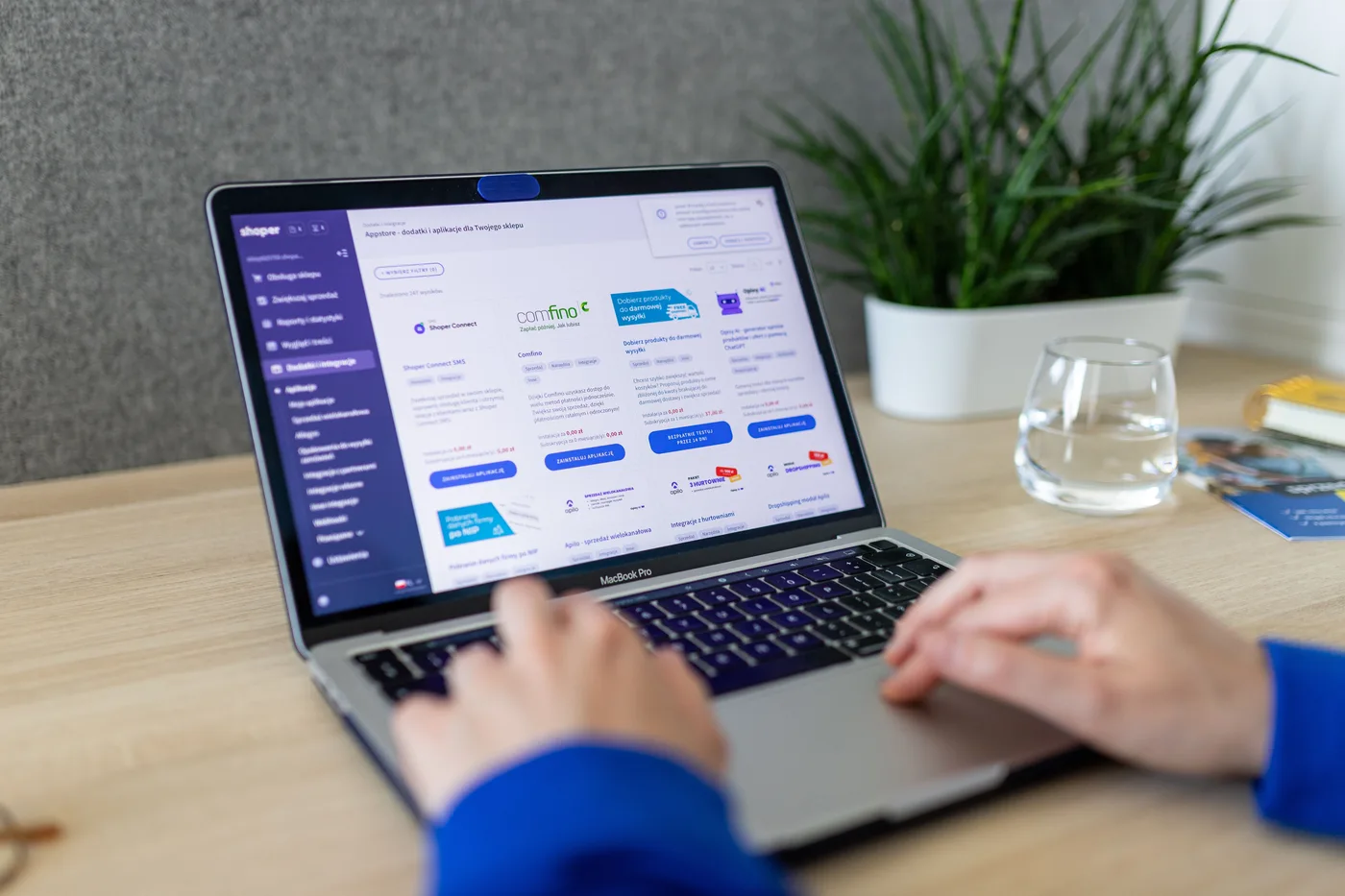
By utilizing modern Digital Marketing Automation Software, we can build, test, and launch these sequences in a matter of minutes.
Step-by-Step Guide to Shopify Automated Email Marketing Setup
Navigate to Automations: Log into your Shopify admin dashboard, go to Marketing, and click on Automations.
Select a Template: Click Create automation. You will see a list of pre-built templates designed for e-commerce (e.g., Welcome new subscribers or Recover abandoned checkout).
Customize the Workflow: Use the visual editor to adjust your triggers, wait steps, and conditional branches. For example, you can add a 24-hour wait step before sending a second follow-up email.
Edit the Email Template: Click on the email step to open the drag-and-drop editor. Customize the text, add your brand logo, and pull in dynamic product grids directly from your store.
Test Your Email: Always send a test email to your own inbox to ensure that all images load correctly and links function perfectly on both desktop and mobile devices.
Turn It On: Once you are satisfied, click Turn on automation in the top right corner.
Audience Segmentation and Personalization Strategies
Sending the same email to everyone on your list is a fast track to the spam folder. Instead, use Shopify’s Saved Customer Segments to group your subscribers dynamically based on their behaviors:
Purchase History: Segment users who have bought from a specific collection so you can cross-sell related accessories.
Engagement Levels: Separate active subscribers (opened an email in the last 30 days) from inactive ones to protect your sender reputation.
Dynamic Personalization: Use merge tags to insert the customer’s first name, local store location, or their exact birthday.
Comparing Native Shopify Tools and Third-Party Apps
As your store grows, you may wonder whether Shopify Messaging is enough or if you need to migrate to a dedicated third-party Email Service Provider (ESP).
Feature Comparison Matrix
Feature Shopify Messaging Dedicated Third-Party ESPs Setup Time Instant (No installation required) Moderate (Requires app integration) Monthly Base Cost Free up to 10,000 emails Starts at $15–$30/month AI Copywriting Yes (Sidekick AI built-in) Varies by platform Advanced Segmentation Basic to Intermediate High (Predictive analytics, deep CRM tagging) A/B Testing Limited Robust (Test subject lines, layouts, send times) Multi-channel Workflows Email & SMS Email, SMS, Push, WhatsApp, and Web Popups
For scaling brands, looking at the Best Email Marketing for Shopify: 8 Top Platforms for 2026 can help you decide if a platform upgrade is necessary to achieve your revenue goals.
Pricing, Limits, and Volume Discounts
One of the biggest selling points of native Shopify Messaging is its highly transparent, pay-per-use pricing model.
For businesses evaluating Small Business Automation Software, budget predictability is key:
The Free Tier: Every merchant gets up to 10,000 free manual or automated emails per month.
The Overages: If you exceed your limit, you pay a flat rate of $1 USD per 1,000 additional emails.
Volume Discounts: If you send more than 300,000 emails per month, volume pricing automatically kicks in, lowering your per-email cost even further.
Bonus: Abandoned checkout automated emails do not count toward your monthly Shopify Messaging limits!
Advanced Integrations: SMS, Reviews, and Loyalty
To maximize your e-commerce revenue, email shouldn't live in a silo. The most successful brands build an omnichannel ecosystem:
SMS Integration: Combine email and SMS in a single workflow. Send an email first, and if the customer doesn't open it within 24 hours, send a quick text message reminder. (Be sure to set SMS spending thresholds in your settings to prevent runaway costs).
Product Reviews: Set up your post-purchase automations to trigger review request emails only after shipping carrier data confirms the package has arrived.
Loyalty Workflows: Connect your loyalty points program to your email workflows. Automatically email customers when they have enough points to redeem a free product or coupon code.
Common Mistakes to Avoid and How to Track Performance
Setting up your automations is only half the battle. To keep them profitable, you must actively manage and optimize your campaigns while avoiding common pitfalls.
Using robust Sales Automation Software Saas can help you avoid these mistakes by giving you clear, visual data on where customers are dropping out of your funnels.
Common Mistakes to Avoid
Over-Emailing: Sending too many messages too quickly will cause your unsubscribe and spam rates to skyrocket. Use wait steps and cool-down periods to space out your communications.
Ignoring Mobile Optimization: Over 50% of all marketing emails are opened on mobile devices. If your buttons are too small to tap or your text is too hard to read on a phone, your conversions will suffer.
Neglecting Subject Line Testing: Your subject line is the gatekeeper. If it isn't enticing, no one will see the beautiful email you designed inside. Regularly run A/B tests on your subject lines.
Key Metrics and Reporting Tools
Shopify provides built-in analytics dashboards for every automation you activate.
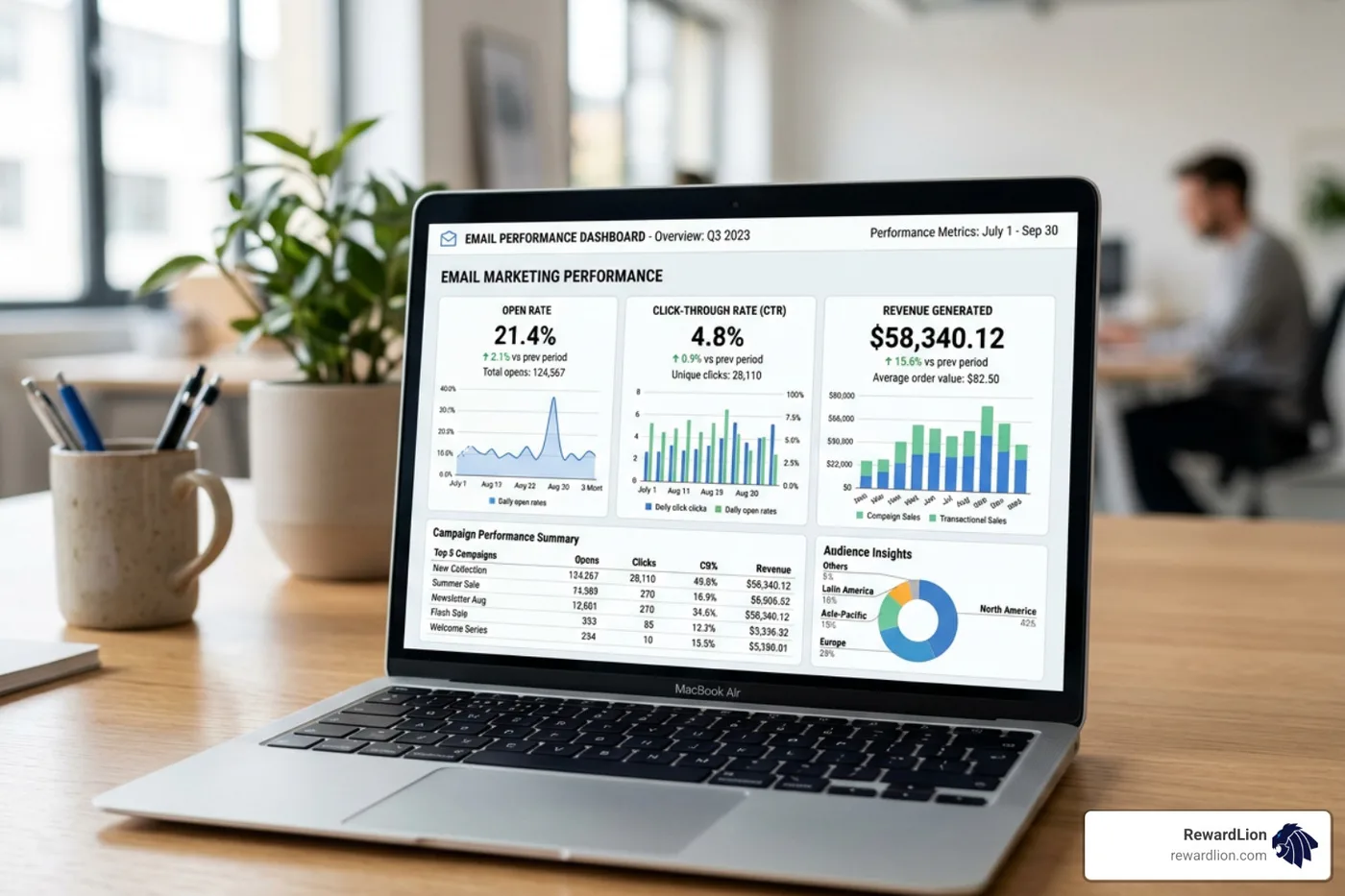
When reviewing your individual marketing automation reports, pay close attention to these key metrics:
Reach: The number of unique customers who have entered your automation workflow.
Open Rate: The percentage of recipients who opened your email (aim for 20%+ for regular campaigns, and 45%+ for automated flows).
Click-Through Rate (CTR): The percentage of recipients who clicked a link inside your email (aim for 2.5% to 5%).
Conversion Rate: The percentage of people who received your email and ended up making a purchase.
Revenue Attribution: The exact dollar amount of sales driven directly by that specific automation flow.
Frequently Asked Questions about Shopify Email Automations
How does Shopify Messaging pricing work?
Shopify Messaging gives you 10,000 free emails per month. After that, it costs $1 USD per 1,000 additional emails. There are no monthly subscription fees or long-term commitments, and volume discounts apply automatically if you send over 300,000 emails a month.
Do abandoned checkout emails count toward my monthly limits?
No! Abandoned checkout emails sent via Shopify's default checkout recovery settings are exempt and do not count toward your monthly free or paid Shopify Messaging email limits.
Can I integrate SMS marketing with my email automations?
Yes. Shopify Messaging supports unified email and SMS campaigns. You can design automated workflows that utilize both channels to reach customers wherever they are most active, keeping in mind to set spending limits to control your SMS budget.
Conclusion
Setting up Shopify automated email marketing is like building a machine that mints money while you sleep. By putting your welcome series, cart abandonment, and customer appreciation campaigns on autopilot, you build a resilient business that retains customers and maximizes lifetime value.
But we get it — as a business owner, you have a million things on your plate. Designing templates, writing high-converting copy, building segments, and keeping up with the latest marketing technology can feel like a full-time job.
That is where RewardLion comes in.
We don't just hand you another software tool and expect you to figure it out yourself. RewardLion provides an AI-powered all-in-one operating system that unifies your marketing, sales, automation, and analytics. Best of all, we back our platform with a dedicated, expert fractional marketing team (your CAPSS team) that implements, optimizes, and completely manages your campaigns for you. From our origins in Fort Lauderdale, Florida, we serve scaling e-commerce brands across all 50 states and internationally.
Ready to take your store's growth to the next level with a completely hands-off, expert-managed marketing system? Grow your business with RewardLion today and let our experts build your high-converting email engine for you!