Why Facebook Advertising Management Is the Growth Lever Most Businesses Are Missing
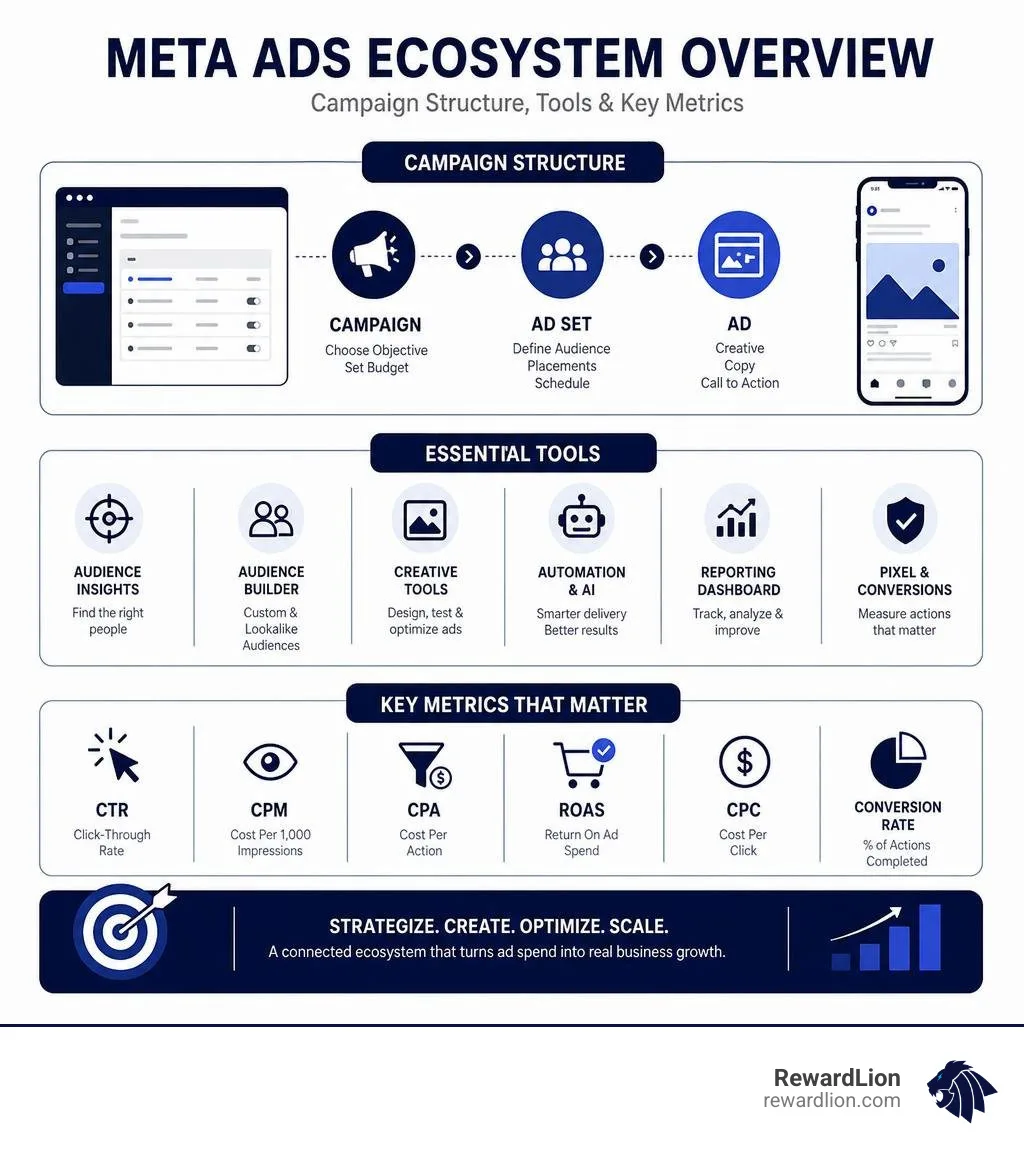
Facebook advertising management is the process of planning, creating, optimizing, and analyzing paid ad campaigns on Meta's platforms — primarily Facebook and Instagram — to drive measurable business results like leads, sales, or brand awareness.
Here's a quick breakdown of what it involves:
What It Covers What It Means for You Campaign creation Building ads with the right objective, audience, and budget Audience targeting Reaching the right people using Custom, Lookalike, or detailed audiences Creative optimization Testing images, copy, and formats to improve performance Budget management Allocating spend efficiently across campaigns and ad sets Performance reporting Tracking ROAS, CPA, CTR, and other key metrics Automation Using Meta's AI tools to optimize delivery and results
If you've ever boosted a post and wondered why it didn't convert — or spent money on ads without knowing what worked — you're not alone. Most small and medium business owners find Meta's advertising tools confusing at first. The platform is powerful, but only if you know how to use it.
The good news? Once you understand how the pieces fit together, Meta Ads can be one of the highest-ROI channels in your marketing mix.
I'm Mike Ibrahim, founder of RewardLion and a digital marketing strategist with over a decade of experience in Facebook advertising management across e-commerce, SaaS, and service-based businesses. In this guide, I'll walk you through everything — from account setup to AI-powered automation — so you can run campaigns that actually grow your business.
Meta Ads Manager vs. Meta Business Suite: Understanding the Ecosystem
To succeed in Facebook advertising management, you must first understand the tools at your disposal. Many business owners get trapped in a confusing loop, clicking back and forth between different dashboards. The two primary interfaces you will encounter are Meta Ads Manager and Meta Business Suite.
While they sound similar, they are built for entirely different purposes:
Feature Meta Business Suite Meta Ads Manager Primary Focus Organic Page Management & Engagement Paid Performance Advertising Core Functions Scheduling posts, replying to messages, tracking basic engagement, and boosting posts. Advanced targeting, structured campaign creation, optimization, and deep-dive reporting. Target Audience Social media managers and organic content creators. Performance advertisers, media buyers, and growth marketers. Ad Controls Lightweight, simplified advertising options (e.g., "Boost Post"). Complete control over bidding, placements, budgets, and A/B testing.
Meta Business Suite is built for page managers who want to keep their organic social presence alive. If you just want to schedule an Instagram post or reply to a customer's DM, Business Suite is your home.
However, if you want to run a structured, multi-tier ad campaign designed to generate a high Return on Ad Spend (ROAS), you must use Meta Ads Manager. Using Business Suite's "Boost Post" button is like buying a basic ticket; Ads Manager gives you access to the entire cockpit. Understanding this distinction is crucial to unlocking The Power of Facebook Ads for your brand.
For a deeper dive into navigating these two interfaces without getting lost, check out this comprehensive guide on How to Use Meta Ads Manager & Business Suite.
Setting Up Your Facebook Advertising Management Workspace
Before you can write your first headline or select your target audience, you need to set up your technical workspace correctly. A sloppy setup can lead to restricted accounts, lost tracking data, and wasted ad spend.
Create a Meta Business Account: Go to Marketing Tools and Advertising Solutions on Facebook and set up your Business Portfolio (formerly Business Manager). This acts as the umbrella for your assets.
Set Up Your Ad Account: Under your Business Settings, create a new ad account. Make sure you select the correct country, currency, and time zone. Changing these later is a major headache and often requires creating an entirely new account.
Assign Permissions: If you are working with team members or an agency in Florida, assign the correct roles (Admin, Advertiser, or Analyst) under the "People" or "Partners" tab.
Deploy the Meta Pixel: The Pixel is a snippet of code placed on your website that tracks user behavior. It allows you to measure conversions, build retargeting audiences, and optimize your campaigns.
Configure the Conversions API (CAPI): Since the rollout of major privacy updates (like iOS 14.5 and subsequent restrictions), relying solely on browser-based tracking with the Pixel is no longer enough. The Conversions API shares web events directly from your server to Meta, ensuring accurate tracking, better attribution, and stronger optimization data in 2026.
The Anatomy of a High-Performing Campaign Structure
To keep your campaigns organized and allow Meta's algorithm to optimize efficiently, you must follow the standard three-tier hierarchy: Campaign → Ad Set → Ad.
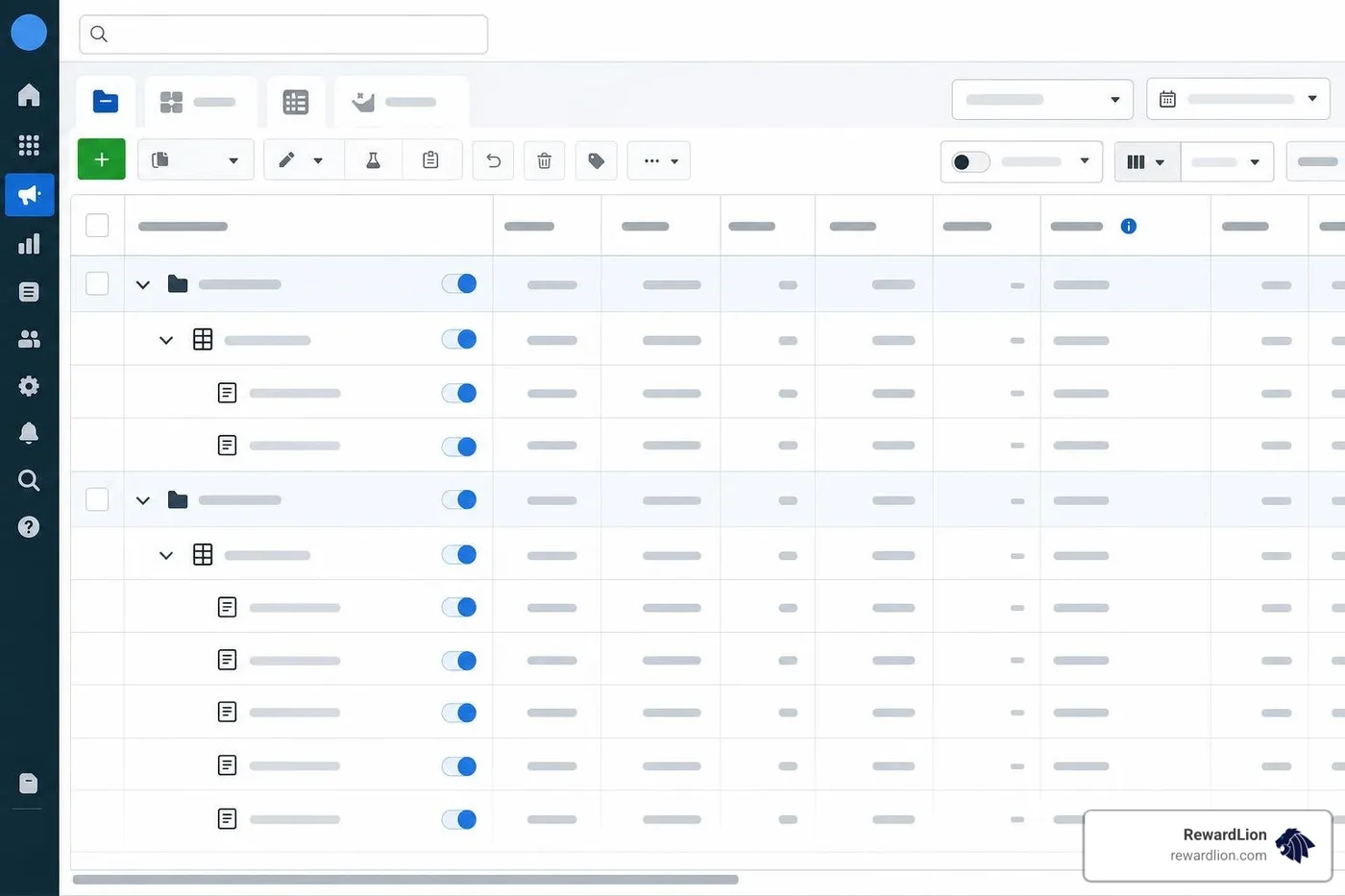
The Campaign Level (The "Why"): This is where you define your ultimate business goal. You choose a single marketing objective, such as Awareness, Traffic, Engagement, Leads, App Promotion, or Sales. This level is also where you can enable Advantage Campaign Budget (formerly CBO), which automatically distributes your budget across your ad sets based on real-time performance.
The Ad Set Level (The "Who," "Where," and "How Much"): This is where you define your target audience, select your ad placements (e.g., Instagram Reels, Facebook Feed, Audience Network), schedule your timeline, and set your daily or lifetime budget (if not using Campaign-level budgeting).
The Ad Level (The "What"): This is where your creative assets live. You upload your images or videos, write your primary text, headlines, and descriptions, and choose your call-to-action (CTA) button.
By structuring your campaigns cleanly, you give yourself the ability to test different variables without overlapping or competing against your own ads. To make sure your creatives resonate at this final stage, read our breakdown of What Makes an Ad Effective.
Guided Creation vs. Quick Creation in Campaign Setup
When you click the green "+ Create" button in Ads Manager, the platform will offer you two distinct workflows:
Guided Creation: This acts as a step-by-step wizard. It walks you through each stage of the campaign setup, making it ideal for beginners, small business owners, or anyone who wants a visual checklist to ensure no details are missed.
Quick Creation: This workflow allows you to build the skeleton of your campaign, ad sets, and ads in a single window without going through the step-by-step prompts. It is designed for experienced performance advertisers who want maximum workflow efficiency and need to build out complex campaign structures rapidly.
For most day-to-day management, switching to Quick Creation saves hours of clicking once you are comfortable with the platform's layout.
Audience Targeting and Location Strategies
Meta’s targeting capabilities remain incredibly robust, allowing businesses in Florida to find their exact customers. You can build three main types of audiences:
Core Audiences: Targeted based on demographics (age, gender, education), interests (hobbies, favorite brands), and behaviors (purchase history, device usage).
Custom Audiences: Built from your first-party data. You can upload customer email lists, target past website visitors tracked by your Meta Pixel, or target users who have engaged with your Instagram profile or Facebook page.
Lookalike Audiences: Meta analyzes your Custom Audience (e.g., your highest-value buyers) and finds the top 1% to 5% of users who share similar behaviors and characteristics, expanding your reach to highly qualified prospects.
When it comes to local targeting—whether you are a local service provider in Fort Lauderdale, a boutique in Boca Raton, or an e-commerce hub in Miami—location targeting is critical. You can target people living in or recently in a specific location, down to a tight geographic radius or specific zip codes.
To master the nuances of geo-targeting and avoid wasting budget on the wrong regions, watch this quick tutorial on How to Target Specific Locations on Facebook/Meta Ads.
Leveraging AI and Automation in Facebook Advertising Management
In 2026, automation is no longer an optional add-on; it is the core engine of Meta's ad delivery. Trying to outsmart Meta's machine learning with hyper-segmented manual targeting is a losing battle. Instead, successful facebook advertising management relies on partnering with Meta's AI features.
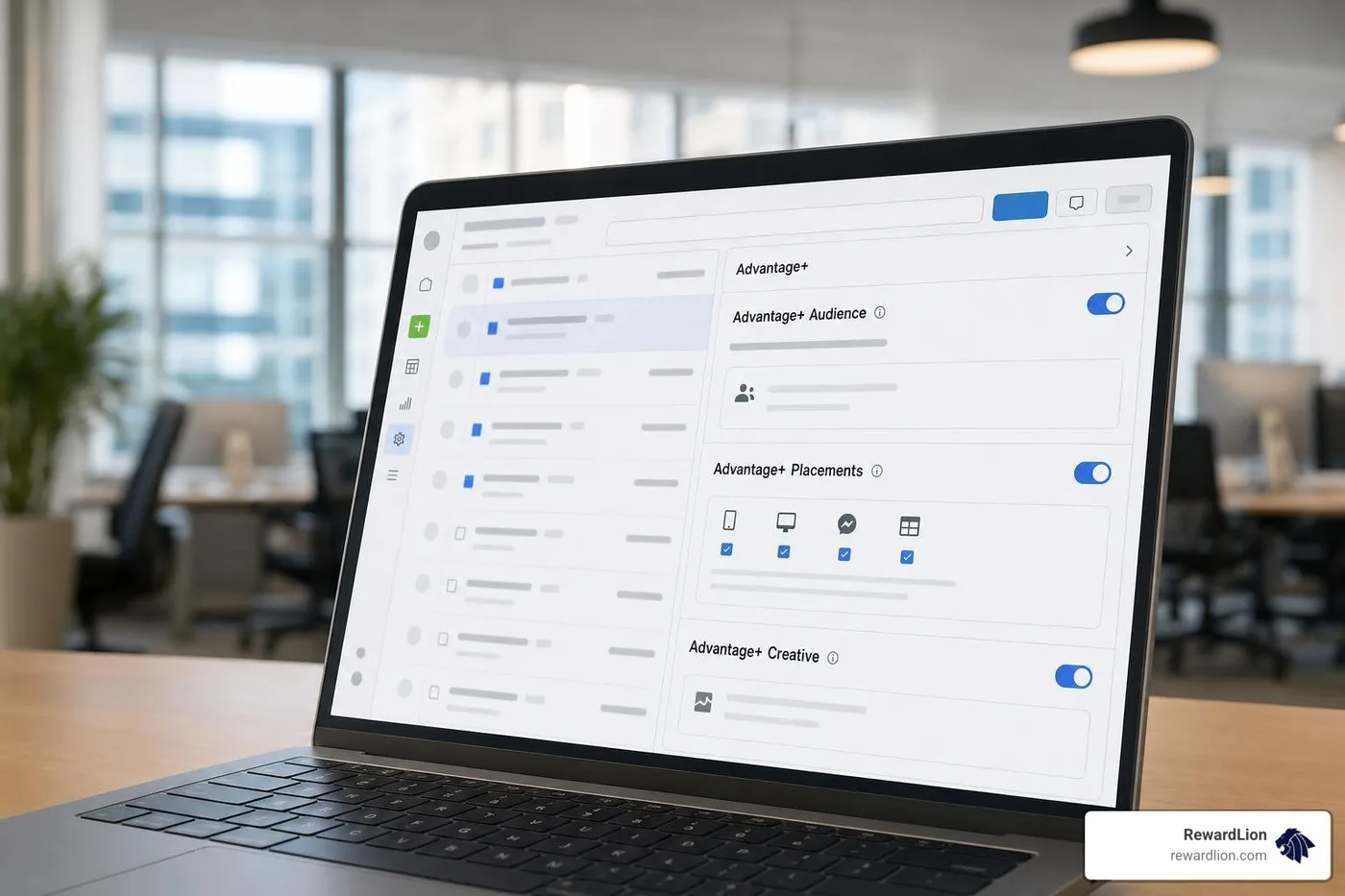
Advantage+ Suite: Meta's AI-Powered Growth Tools
Advantage+ Audience: Instead of strictly locking your targeting to specific interests, Advantage+ Audience uses your input as a "suggestion." Meta's AI looks at your historical conversion data and pixel activity to find people outside of your specified interests who are highly likely to convert.
Advantage+ Placements: This option automatically distributes your ad across all available placements (Facebook, Instagram, Messenger, and Audience Network) where the algorithm predicts the lowest cost per result. Unless you have a strict creative limitation (like an ad that only works on vertical Reels), keeping this enabled yields the best efficiency.
Advantage+ Creative: Meta automatically optimizes your ad creative for each individual viewer. It may adjust the brightness, apply a subtle filter, swap the headline and primary text placement, or turn your static image into a template video if it believes a specific user is more likely to engage with that variation.
Automation Rules: Your Campaign Safety Net
To prevent ad spend leaks while you are away from your desk, you can set up automated rules within Ads Manager. These rules act as a 24/7 monitor for your campaigns.
For example, you can create a rule that says: "If an ad set spends over $50 today and has 0 conversions, pause it immediately." Or, "If the Cost Per Lead (CPL) is under $5 and the CTR is above 2%, increase the daily budget by 15%." Setting up these guardrails allows you to scale winning creatives while cutting losers before they drain your budget. Combining these automated rules with Effective Advertising Strategies ensures long-term campaign sustainability.
Analyzing Performance, Breakdowns, and Troubleshooting
Even the best-designed campaign will fail if you don't know how to read the data. Many advertisers look at their dashboard and feel overwhelmed by the wall of numbers.
To run efficient campaigns, you must customize your reporting columns to focus on the metrics that actually align with your business goals.
Customizing Your Reporting Columns
Do not rely on Meta's default "Performance" column view, which often highlights vanity metrics like "Impressions" or "Post Engagement." Instead, customize your columns to track the exact steps of your customer journey:
Results & Cost per Result: Your primary KPI (e.g., Purchases, Leads).
Amount Spent: How much of your budget has been utilized.
CTR (Click-Through Rate - Link Click): Measures how compelling your creative and copy are. Aim for >1%.
CPC (Cost Per Click): How much you pay for each visitor.
CPM (Cost Per Mille): The cost to show your ad to 1,000 people. High CPMs indicate tight targeting or highly competitive seasons.
ROAS (Return on Ad Spend): Your ultimate revenue efficiency metric.
Unleashing the Power of "Breakdowns"
If you want to know why a campaign is performing well or poorly, click the Breakdown button in the top-right of your Ads Manager table. This allows you to dissect your data by:
Delivery: See exactly how your performance differs by Age, Gender, Country, Region, Platform (Facebook vs. Instagram), or Placement (Stories vs. Feeds). You might discover that while your overall CPA is $20, your Instagram Stories placement is converting at $8, allowing you to reallocate budget intentionally.
Action: See what devices users were on when they converted, or what destination they clicked to.
Troubleshooting Common Ads Manager Frustrations
"Why is everything greyed out?" If you cannot edit a campaign, toggle an ad set, or create a new ad, it is almost always a permission issue. Check your Business Portfolio settings to ensure your user profile has "Admin" or "Advertiser" access to that specific ad account.
"Where did my ad account go?" Check the dropdown menu in the top-left corner of Ads Manager. If you manage multiple pages or have recently transitioned accounts, Ads Manager may have defaulted to your personal ad account instead of your business ad account.
Mobile App vs. Desktop for Facebook Advertising Management
For serious campaign builders, the desktop version of Meta Ads Manager is non-negotiable. It is the only place where you can comfortably build complex ad structures, set up detailed custom columns, and analyze extensive reports.
However, the Meta Ads Manager mobile app (which holds a 4.3 rating on Google Play and a 4.6 rating on the iOS App Store) is an excellent companion tool.
When to use Desktop: Building campaigns, writing copy, uploading high-res creative assets, setting up tracking, and doing deep-dive monthly reporting.
When to use Mobile: Checking daily performance while on the go, receiving real-time alerts for budget limits, and quickly pausing an underperforming ad over the weekend.
In-House vs. Agency: Choosing Your Management Path
As your business grows, you will face a critical decision: should you handle your facebook advertising management in-house, or should you partner with a specialized agency?
Both paths have distinct advantages and drawbacks:
In-House Management:
Pros: Complete control over your daily creatives, deep brand alignment, and instant communication.
Cons: High overhead costs (salaries, benefits, software), lack of cross-industry insights, and the risk of team burnout as platform algorithms constantly change.
Traditional Agency Management:
Pros: Access to specialized media buyers, designers, and copywriters who understand the latest platform updates.
Cons: High monthly retainers, potential communication delays, and disconnected software systems that don't talk to your CRM or sales pipeline.
For businesses looking for professional support, exploring the Best Facebook Advertising Agencies in Florida 2026 is a great starting point to find experienced local partners. If you are specifically in the tri-county area, looking into PPC Marketing Fort Lauderdale can connect you with specialists who understand our unique local demographics.
The RewardLion Advantage: The Hybrid Growth OS
At RewardLion, we realized that businesses don't just need another expensive agency or another piece of disconnected software. They need a unified system.
We provide an AI-powered all-in-one OS platform that unifies your marketing, sales, automation, and analytics under one roof. Instead of paying for separate tools for CRM, email marketing, and ad reporting, our platform connects everything.
Best of all, we offer a hybrid SaaS + expert team management model. You get our advanced software platform plus a dedicated fractional marketing team (your CAPSS team) to implement, optimize, and manage your campaigns for hands-off growth. We handle your paid advertising, landing page design, CRM automation, and performance tracking so you can focus on running your business.
Frequently Asked Questions about Meta Ads
Why is my ad set stuck in the "Learning Limited" phase?
The "Learning Phase" is when Meta's algorithm is actively gathering data to figure out who to show your ads to. To exit this phase, an ad set needs to generate 50 conversion events within a 7-day period.
If your ad set says "Learning Limited," it means Meta isn't getting enough conversion data to optimize properly. This usually happens because:
Your daily budget is too low to generate 50 conversions in a week.
Your target audience is too small or highly restrictive.
Your conversion event is too far down the funnel (e.g., targeting "Purchases" when you only get 5 sales a week). Try optimizing for a higher-funnel event like "Initiate Checkout" or "Add to Cart" to feed the algorithm more data.
Why are some options greyed out in my Ads Manager?
This typically occurs due to one of three reasons:
Insufficient Permissions: You do not have "Manage Campaigns" or "Admin" access in your Meta Business Settings.
Objective Constraints: Certain ad formats, placements, or bidding strategies are incompatible with the specific campaign objective you selected at the top level.
Account Status Issues: Your ad account may have a temporary hold due to an unpaid balance or a pending policy review on a rejected ad creative.
How do I track ROAS and ROI accurately after iOS updates?
To combat data loss from modern browser privacy restrictions:
Implement the Conversions API (CAPI): Send server-side web events directly to Meta to bypass browser-based blockers.
Use UTM Parameters: Always append clean UTM tracking codes to your ad URLs so you can verify conversion sources inside your CRM or Google Analytics.
Leverage First-Party Data: Match offline sales, phone leads, and CRM contacts back to your Meta campaigns using offline event sets.
Conclusion
Mastering facebook advertising management in 2026 requires a balance of strategic human creative and smart AI automation. By structuring your campaigns correctly, leveraging Advantage+ tools, and setting up clean tracking with the Conversions API, you can turn Meta Ads into a highly predictable growth engine.
But you don’t have to do it alone. You don't need to hire multiple disconnected agencies, and you don't need to manage a dozen expensive software tools.
RewardLion installs one fully connected growth system in your business — powered by our AI-driven OS, executed by our expert team, and optimized continuously for your success.
Ready to scale your business with hands-off, expert marketing management? Get Your Quote today and let us build your custom growth engine.